
Last updated: Wednesday 23rd September 2026
How Instagram Affects Your School's SEO
A family relocating to Denver types "private middle schools with a robotics program" into Google. Among the results are a Reel from a school's robotics showcase, a YouTube campus tour, and a Reddit thread where local parents compare notes. There may be an AI-generated summary sitting on top of it all.
Is any of it yours?
Instagram opened public posts from professional accounts to Google in July 2025. But more than a year on, many school feeds still read as if the only audience is current families. They're full of heartwarming moments with captions that tell a search engine (and a prospective parent) almost nothing.
Sound familiar? Let's fix it.
Social Search Isn't Just a Gen Z Habit
It's easy to assume social search is something teenagers do. The data says otherwise. Sprout Social's 2025 research found that more than one in three consumers across age groups prefer to search on social platforms first for reviews and recommendations. That is exactly the shortlisting stage families are in when they're comparing schools.
AI Answers Lean on Social, Too
The AI tools parents increasingly use for research draw heavily on social content. Across multiple studies, Reddit, YouTube, and LinkedIn rank among the most-cited sources in AI-generated answers. When a parent asks an AI tool to compare schools in their area, social content often shapes the answer.
The truth for many schools is: social content is already being found. The question is whether it's saying the right things when it is.
Let's Talk Instagram SEO Strategy
Step 1/Set up your profile to be found
- 🕹️ Check the switch first.
Search visibility is controlled by a privacy setting on your account. Look under Account Privacy for "Allow public photos and videos to appear in search engine results." If someone turned it off during a past privacy review, nothing else on this list will matter. - ✍️ Make your name and bio work harder.
Your display name is searchable, so use it: "[School Name] | K–12 Day School, Denver" does far more than your name alone. Use the bio for your key terms (boarding, day school, grade range, standout programs) and your location. Keep your name, location, and description consistent with your website, so search engines can confidently connect the two. - 📌 Pin your best evergreen posts.
When a family lands on your profile from Google, your top row is your shop window. Pin three posts that answer the big questions: an admissions overview, a campus tour Reel, and your next open house. Make sure the link in your bio goes somewhere useful, such as your admissions page or inquiry form, not just your homepage.
Step 2/ Write Posts Search Engines Can Understand
- 💬 Write captions (and hashtags) the way parents search.
Lead with what, where, and who:
"Our Grade 6 robotics team at [School Name], Denver, heads to the state finals."
It will outperform "What a day! 💙" every time. Aim for three to five specific keywords per caption, using the words families actually type: "boarding," "day school," "K–8," "college counseling," "financial aid." Add one or two targeted hashtags, such as #DenverPrivateSchool, and place them in the caption itself rather than the comments.
-
🖼️ Make your visuals readable.
Instagram reads the words inside your images. Clear on-screen text such as "Open House," "Boarding Life," or "STEM Program" helps your content get categorized correctly, and it tells scrolling parents what they're looking at in a second. -
🔤 Add alt text to every post.
You'll find it under Advanced Settings before you publish. Describe what's actually in the image: "Middle school students presenting robotics projects in the [School Name] STEM lab." It adds search context and makes your content accessible to visually impaired families, which is a win on both fronts. -
🎥 Say it in your Reels.
Say your key terms out loud, ideally early in the video, and always turn captions on. A Reel that opens with "Here's a look inside our boarding houses at [School Name]" gives search engines far more to work with than music alone. -
📍 Geotag your campus.
Tag your school's actual location or neighborhood rather than just the city. Families searching locally are your highest-intent audience.
Step 3/ Build Authority Over Time
-
📁 Build themes, not one-offs.
Group your content around the questions families ask most: academics, arts, athletics, boarding life, financial aid, college counseling. When parents comment with questions, reply with specific, helpful answers. Those conversations become searchable content too. -
💬 Reply with purpose.
When parents comment with questions, reply with specific, helpful answers: "Yes, our aftercare program runs until 6 p.m. for Grades K–5." It's good customer service, and those conversations add useful, relevant text to your posts.
Step 4/ Look Beyond Instagram
-
🌐 Treat YouTube like a second website.
Campus tours, head of school welcomes, and admissions FAQs belong on YouTube, with descriptive titles, full descriptions, and chapters. Video is one of the formats AI tools cite most often. -
👂 Know what's being said about you.
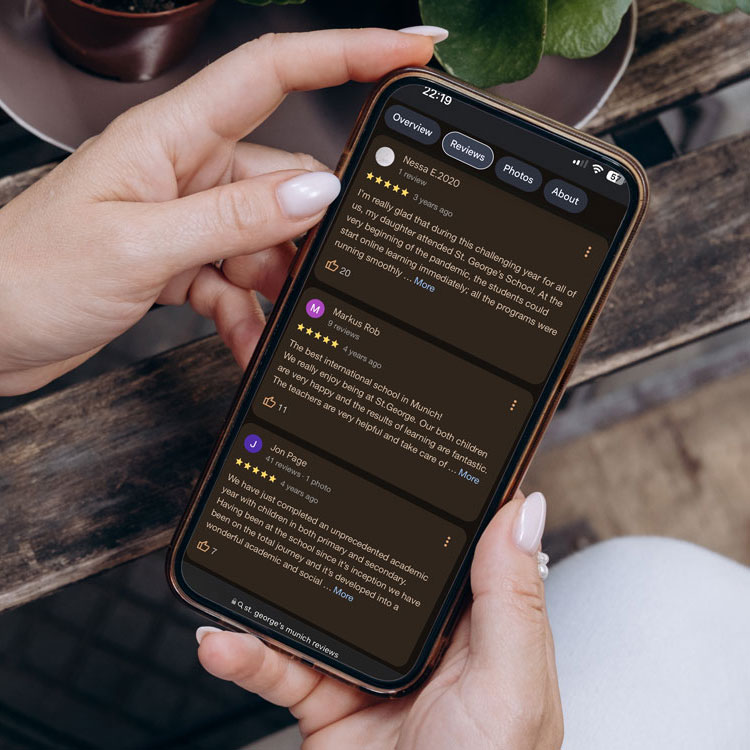
Search Reddit and local parent groups for your school's name. You can't control those conversations, but you can learn what families are wondering about and create content that answers it. With Google no longer showing reviews for schools, your own channels carry more weight than ever in shaping first impressions.
A Note on Safeguarding
More searchable means more visible. Before posting, double-check photo permissions, avoid pairing student images with full names, and don't geotag off-campus trips in real time. Discoverability should never come at the expense of student privacy.
Final Thought
Social and SEO shouldn't live in separate silos. Share one keyword list across both, plan evergreen social content alongside your web content, and remember that every post is now a potential first impression for a family you haven't met yet.
Frequently Asked Questions
| Do Instagram posts show up in Google search results? |
|---|
| Yes. Google and other search engines can index public content from professional Instagram accounts, including photos, videos, carousels, and Reels posted on or after January 1, 2020. Stories and content from private or personal accounts aren't included. |
| Will photos of our students appear on Google? |
| They can. If a photo is posted publicly on your school's professional account, it's eligible to appear in search results. That's why photo permissions, naming policies, and geotagging rules matter more than ever. Review your safeguarding guidelines with search visibility in mind. |
| Can we stop our school's Instagram from appearing on Google? |
| Yes. You can turn off search engine visibility in your privacy settings, set the account to private, or switch to a personal account. For most schools, though, the better option is to stay visible and post thoughtfully. |
| Which social platforms matter most for school search? |
| Facebook, YouTube, and Instagram are the top platforms people use for social search. For schools, YouTube is especially valuable for campus tours and admissions FAQs, while Instagram and Facebook are where families get a feel for day-to-day school life. |
| Does Instagram SEO replace our website SEO? |
| No, the two work together. Social content helps families discover you and get a feel for your community, but your website is still where they research the details and submit an inquiry. The strongest approach uses the same keywords and messaging across both. |
Looking for
SEO Support?
Are you looking for search engine marketing support? We're here to help.
Get the most out of your website and its content with expert advice.
 |
Author: Gretlin Aumre, Director of Services Gretlin has spent the last 15 years in marketing, both agency and client-side, and has a rich understanding of content marketing, SEO, and digital advertising. With significant experience in the education sector, Gretlin joined Amplify in May 2024 as Director of Services. She now supports schools worldwide in amplifying their enrollment strategy. |
Discover more

Your School's Instagram Shows Up on Google. Is It Ready to Be Found?

Are The Recent UK Private School Closures Due To VAT?

Inbound Marketing for Private Schools: A Comprehensive Guide

How To Choose The Right Marketing Agency For Your School

Surviving School Marketing Budget Season